Result Storage and Retrieval
The VTT QX system could alter job results to optimize storage and performance. Understanding how results are stored and retrieved ensures you can efficiently access your quantum computing data.
Result Storage Limits
Job results larger than 10MB are converted to counts format to reduce storage requirements. This conversion happens in two scenarios:
- Immediate conversion: When a job completes with results exceeding 10MB
- Automatic archival: Jobs older than 7 days are converted to counts format
The counts format aggregates individual measurement shots into frequency counts (e.g., {"00": 672, "11": 15563}), providing a more compact representation while preserving the essential statistical information from your quantum experiments.
Checking Result Status
You can verify whether your results have been converted through two methods:
Via QX Frontend
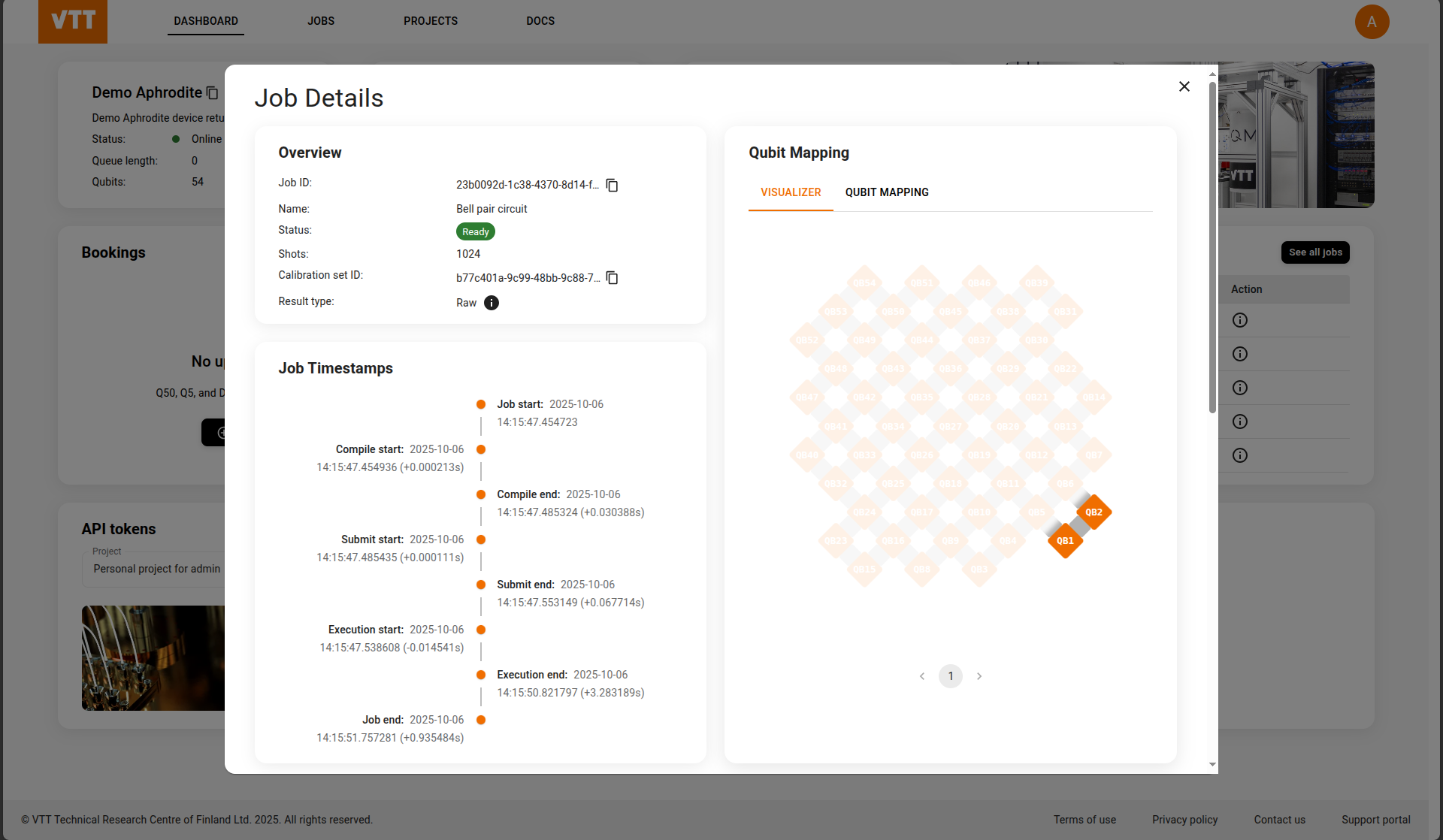
Navigate to your job details page in the QX web interface. The result status will be displayed in the job detail modal, showing the result type as either:
- Raw: Results are in full format with individual measurement shots available
- Converted: Results have been converted to counts format
Via API Endpoint
Query the job status programmatically using the REST API. The response includes the is_converted_measurement boolean flag:
{
  "is_converted_measurement": false
}false: Results are in full format (individual measurement shots available)true: Results have been converted to counts format
This flag indicates the current storage format and helps you determine which retrieval method to use.
Retrieving Results
For Standard Results
For jobs with results under 10MB or within the 7-day retention period, you can retrieve either individual shot measurements or aggregated counts:
from iqm.iqm_client import IQMClient

client = IQMClient("https://qx.vtt.fi", quantum_computer="<device_name>")

# Individual shot measurements
measurements = client.get_job_measurements('<job_id>')

# Or aggregated counts
counts = client.get_job_measurement_counts('<job_id>')
For Converted Results
When results have been converted to counts format, only get_job_measurement_counts is available:
from iqm.iqm_client import IQMClient

client = IQMClient("https://qx.vtt.fi", quantum_computer="<device_name>")
counts = client.get_job_measurement_counts('<job_id>')
This method returns the aggregated measurement counts (e.g., {"00": 672, "11": 15563}), providing the statistical distribution of measurement outcomes without the individual shot-by-shot details.